Federica Capitani
Italian designer Federica Capitani studied Industrial Design at the Faculty of Architecture, University of Genova.
Ref: D5D41030
On this practical 5-day course, students will learn how to build well-structured SketchUp models, apply lighting and materials in Enscape, and enhance realism, mood, and clarity through Photoshop post-production. The course focuses on commonly used tools and techniques rather than software overload, helping participants develop a repeatable workflow they can confidently apply to future projects. Emphasis is placed on working efficiently, making informed visual decisions, and producing clear, quality images suitable for client presentations and portfolios.
By the end of the course, students will have produced a finished interior visual and gained a clear understanding of how modelling, rendering, and post-production work together within a professional interior design context.
Day 1 SketchUp Modeling Foundations Participants are introduced to the project brief and overall visualization workflow. The focus is on building a clean and well-organized base model of the space in SketchUp. Key SketchUp tools and commands:
Day 2 SketchUp Detailing & Model Preparation Students continue developing the model by adding architectural details, furniture, and materials, while preparing the file for real-time rendering in Enscape.
Key SketchUp tools and commands:
Day 3 Enscape Real-Time Rendering (Full Day) This day is dedicated to using Enscape with SketchUp. Participants learn how to visualize their model in real time and create a strong base render.
Key Enscape tools and commands:
Day 4 Enscape Refinement (Half Day) & Photoshop Introduction (Half Day) Morning Enscape Refinement Participants refine the visual quality of their renders before export. Key Enscape tools and commands:
Key Photoshop tools and commands:
Day 5 Photoshop Post-Production & Final Output The final day focuses on advanced post-production techniques to improve realism, mood, and clarity.
Key Photoshop tools and commands:
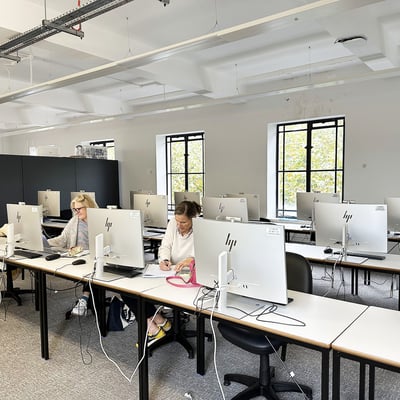
All computer-aided design courses are taught on PC computers at the Bloomsbury Campus. Please note that this course is designed for individuals with little to no experience using SketchUp, Enscape and Photoshop. While no prior experience is required in using these programmes, participants must have a basic level of computer confidence and dexterity to benefit from the course. The sessions will move at a steady pace, and students are expected to follow guided exercises and use keyboard shortcuts effectively during the class.
To ensure this course is the right fit, please review the readiness checklist below.
Is This Course Right for You? Youll get the most from this course if you:
Please do get in touch with the Bookings Team if you have any specific questions related to the suitability of the course.
??A PC will be provided for each student for use throughout the course along with a USB memory-stick with the necessary files needed for each day of the course.
You will also need to set up and Adobe account prior to the course if you haven’t already got a login. Please note that this free to do (this is not the same as a 7-day free trial however). If you have any questions about how to do this, please get in touch with the Bookings Team. You can also find a useful guide at Adobe
Please wear appropriate clothing/aprons for the workshop or studio, this includes stout covered footwear (no sandals or open toes).
Student registration: 10.30am - 11am
Course teaching: 11am – 5.15pm
Morning session: 11am - 1pm
Lunch break: 1pm - 2pm (lunch is not included)
Afternoon session: 2pm - 5.15pm (15 minute break, 3.30pm–3.45pm)
Teaching finishes: 5.15pm

Italian designer Federica Capitani studied Industrial Design at the Faculty of Architecture, University of Genova.